Originally published on Efficiently (Substack)
The majority of my career has been focused on making data systems more efficient — whether that means performance, scalability, or cost. This series aims to democratize knowledge about how to Efficiently operationalize data.

TLDR
4 changes you can make right now to run Snowflake more Efficiently:
- File a Snowflake support ticket and request access to the
GET_QUERY_STATSfunction ALTER WAREHOUSE <warehouseName> SET AUTO_SUSPEND = 60;- For multi-cluster warehouses:
ALTER WAREHOUSE <warehouseName> SET MIN_CLUSTER_COUNT = 1;ALTER WAREHOUSE <warehouseName> SET SCALING_POLICY = ECONOMY;
ALTER WAREHOUSE <warehouseName> SET STATEMENT_TIMEOUT_IN_SECONDS=36000
Snowflake + Driving
Snowflake optimization resembles efficient driving. There are four parallel constraints:
- Car efficiency = warehouse size selection
- Driver skill = query authorship ability
- Road congestion = warehouse saturation
- Route optimization = query construction, schema design, and partitioning

Top Down vs. Bottom Up
This framework separates optimization into two approaches: Top Down (optimizing the environment/infrastructure without affecting users) and Bottom Up (optimizing operations — the “driver”).
This post focuses on the Top Down approach.
Insight #1: Get Data
Solving problems requires data. Two critical functions provide the visibility needed for optimization:
GET_QUERY_STATSGET_QUERY_OPERATOR_STATS(preview feature, available on all accounts)
These functions are not available by default — you’ll need to file a support ticket with Snowflake to request access.
Insight #2: Turn Your Car Off
Your car (warehouse) should only be on when you need it. Minimize the time that it is on and doing nothing.
Warehouses consume credits continuously while active, even during idle periods. The AUTO_SUSPEND parameter automatically stops idle warehouses after a specified duration.

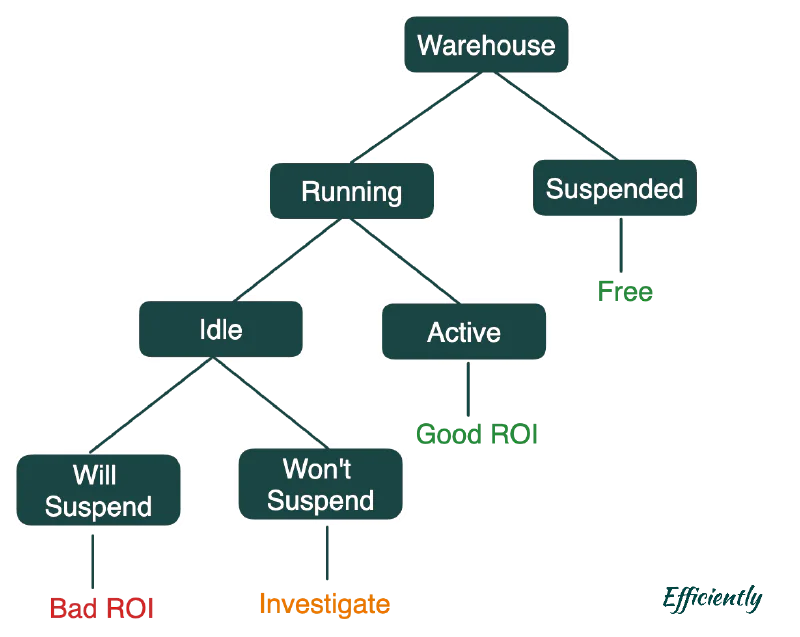
There are four warehouse states to understand:
- Suspended — Off, no charges
- Running/Idle (Will Suspend) — On but no queries executing, within the auto-suspend window. Charging unnecessarily.
- Running/Idle (Won’t Suspend) — On but no queries, yet a query is incoming before suspension triggers. This requires investigation.
- Running/Active — Queries are executing. This is the desired state.
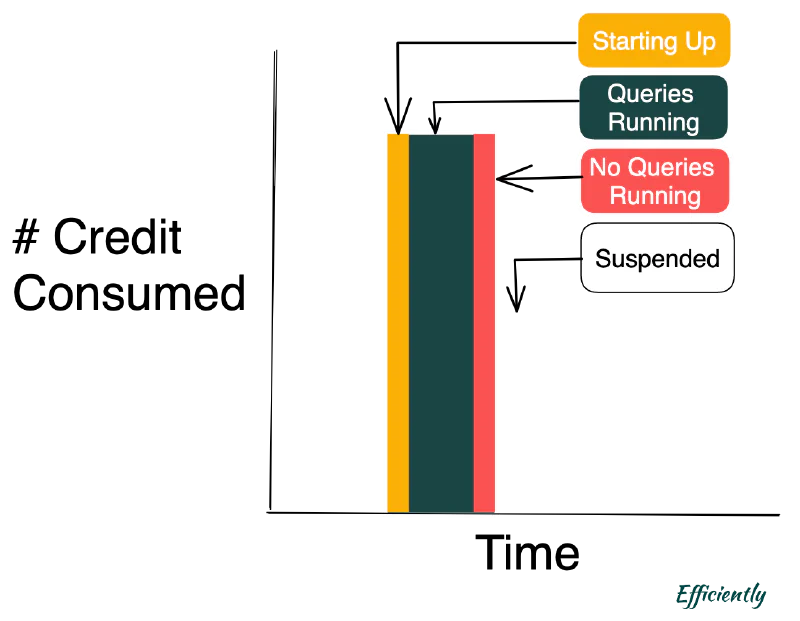
The goal: minimize the Red “No Queries Running” while looking for ways to also minimize the Pink “No Queries Running.”

Snowflake’s minimum auto-suspend is 30 seconds, but charges are incurred for full-minute increments regardless. Setting to 60 seconds is the optimal minimum:
| |
Insight #3: Car Engines + Cylinders
Clusters function like engine cylinders — more clusters mean more processing power but higher consumption.
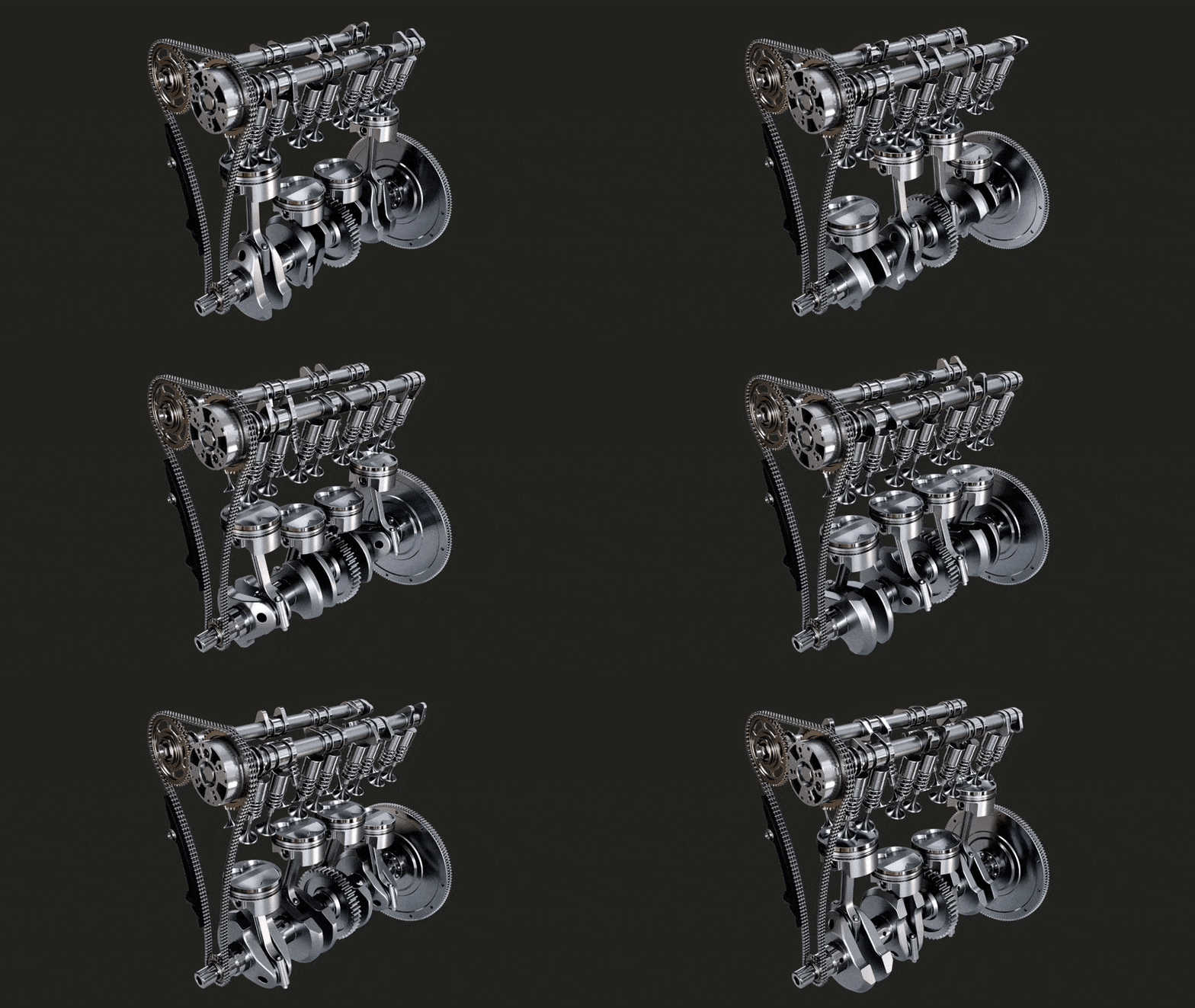
Snowflake bills at # Warehouse * # Clusters. More clusters enable parallel processing but increase costs proportionally.
Two configuration changes to make right now:
Start with a single cluster minimum:
| |
Use economy scaling policy (scales only when strictly necessary):
| |
The economy policy prioritizes cost efficiency over performance, scaling up only when queries are being queued.
Insight #4: Restrict Trip Distance
Like Federal Motor Carrier Safety Administration regulations limiting how long drivers can be on the road, queries should have maximum execution times.

Snowflake’s STATEMENT_TIMEOUT_IN_SECONDS defaults to 172,800 seconds — that’s 2 days. This permits excessively long, potentially runaway queries to consume credits indefinitely.
Set a reasonable timeout of 36,000 seconds (10 hours):
| |
Conclusion
There is a prevalent idea floating around that Snowflake is expensive. That can be true, but as is the case in most of these systems, it really comes down to how effectively and Efficiently you use Snowflake.